
前言
博主目前使用的是宝塔面板7.7.0版本,旧版经常会出现一些错误和BUG
在这里统一记录下,方便以后查找处理
下载错误
在宝塔面板下载文件时出现如下错误页面
出错了,面板运行时发生错误!
TypeError: send_file() got an unexpected keyword argument 'add_etags'
解决方法:
在服务器SSH端运行以下命令:
/www/server/panel/pyenv/bin/pip install -U Flask==2.1.2运行完成后重启宝塔面板服务即可;
证书错误
错误(一)
宝塔面板申请Let's Encrypt证书时报错Invalid version. The only valid version forX509Req is 0.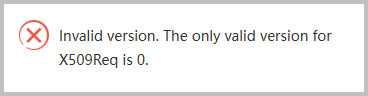
解决方法:
找到/www/server/panel/class目录下acme_v2.py文件
查找到:X509Req.set_version(2)
修改为:X509Req.set_version(0)
修改完成后清理宝塔面板缓存再重启面板服务;
错误(二)
宝塔面板申请Let's Encrypt证书时报错module 'OpenSSL.crypto' has no attribute 'sign'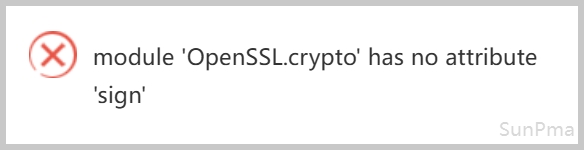
解决方法:SSH端运行以下命令,然后重启宝塔面板
btpip install pyOpenSSL==24.2.1 -U证书续签Shell脚本
/www/server/panel/pyenv/bin/python -u /www/server/panel/class/acme_v2.py --renew=1软件商店
如果软件商店打不开可以修改hosts连接宝塔面板的香港机房SSH端输入以下两条命令修改hosts
sed -i "/bt.cn/d" /etc/hosts

echo "103.179.243.14 www.bt.cn download.bt.cn api.bt.cn dg1.bt.cn dg2.bt.cn" >> /etc/hosts恢复hosts
sed -i "/bt.cn/d" /etc/hosts规则拦截
Typecho程序在发布或编辑文章时容易被宝塔防火墙POST规则拦截
解决方法:
防火墙设置白名单URLNginx防火墙->全局配置->URL白名单->标准模式-URL白名单
文章编辑:
^/action/contents-post-edit?主题设置:
^/action/themes-edit旧版直装
直接安装宝塔7.7.0版本
安装命令:( Centos / Ubuntu / Debian )
curl -sSO https://raw.githubusercontent.com/sunpma/bt-v7.7.0/main/install/install_panel.sh && bash install_panel.sh优化脚本
一键脚本:(注意:仅适用于宝塔面板7.7.0版本)
wget -O SunBT.sh https://suntl.com/other/bt/SunBT.sh && bash SunBT.sh优化内容说明:
- 去除强制绑定账号
- 去除建站默认文件
- 去除删除操作验证
- 关闭版本升级通道
- 关闭推荐客服功能
- 解锁付费插件使用
版权声明:本文为原创文章,版权归 suntl.com 所有,转载请注明出处!
本文链接:https://suntl.com/1297.html
友情提示:如果博客出现404或链接失效,请留言或者联系博主修复!
大佬,我安装了系统:Ubuntu 24.04.1 LTS x86_64(Py3.7.16),然后用了你的直装+优化脚本。现在有个问题。商业防火墙不能安装,只要安装 Nginx自动停止,也没有办法开启,只要卸载,Nginx就正常。还就是左侧 防火墙也不能点,点击就是一堆错误。请大佬帮忙解决下。谢谢。
直接重装系统再装宝塔,我以前也遇到过,没有解决,重装系统最简单~~
还有现在的网站监控报表一安装一闪就没有了。站长这个能解决吗?
今天安装了4次,虽然安装成功,但是宝塔登陆不上,一直在转圈圈。
在终端用BT改密码就出错了。。估计现在是安装不上旧本了。可惜了。
--2025-09-15 13:42:47-- (try: 3) https://raw.githubusercontent.com/sunpma/bt-v7.7.0/main/install/src/panel6.zip
panel.zip.zip, and cannot find panel.zip.ZIP, period.-rw-r--r-- 1 root root 576K Sep 15 13:42 panel.zipConnecting to raw.githubusercontent.com (raw.githubusercontent.com)|185.199.110.133|:443... failed: Connection timed out.
Connecting to raw.githubusercontent.com (raw.githubusercontent.com)|185.199.108.133|:443... connected.
Unable to establish SSL connection.
End-of-central-directory signature not found. Either this file is not
a zipfile, or it constitutes one disk of a multi-part archive. In the
latter case the central directory and zipfile comment will be found on
the last disk(s) of this archive.
unzip: cannot find zipfile directory in one of panel.zip or
ERROR: Failed to download, please try install again!
ERROR: 下载宝塔失败,请尝试重新安装!
CentOS Linux release 7.6.1810 (Core)
Bit:64 Mem:1756M Core:2
Linux iZ2ze3ublp9x67y0wlhwm6Z 3.10.0-957.21.3.el7.x86_64 #1 SMP Tue Jun 18 16:35:19 UTC 2019 x86_64 x86_64 x86_64 GNU/Linux
请截图以上报错信息发帖至论坛www.bt.cn/bbs求助
[root@iZ2ze3ublp9x67y0wlhwm6Z ~]#
安装报错
为啥docker应用都无法安装,图标也是裂开的
这是好东西 我也用的是老版本的